
Step 1, Getting the SIP settings for manual Provision.
Getting the RingCentral SIP settings here. Or see the below steps.
1. Log in as an Administrator to the RingCentral Online account.
2. Go to Phone System > Phones & Devices.
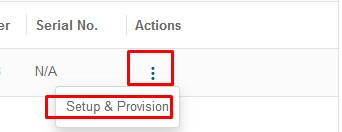
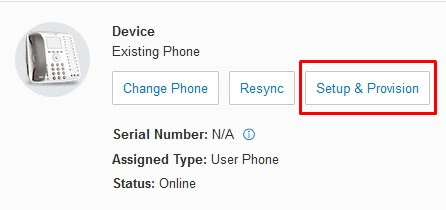
3. Under User Phones, look for the Existing phone that you wish to assign to your Ecsow dialer. Click the existing phone and then press Setup & Provision or under action select Setup & Provision. As shown below.
Picture 1:
Picture 2:
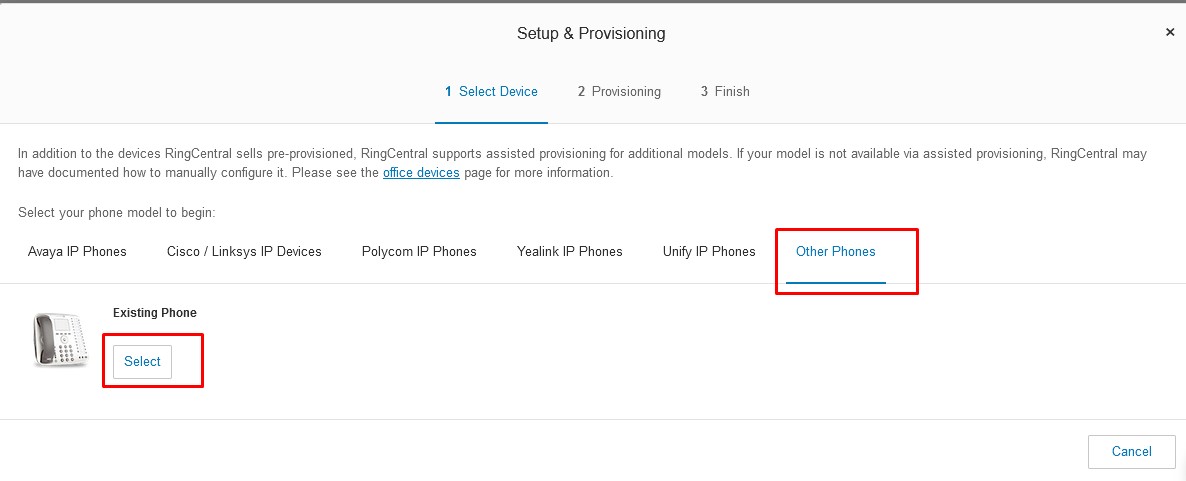
4. Go to Other Phones. Under Existing Phone click Select.
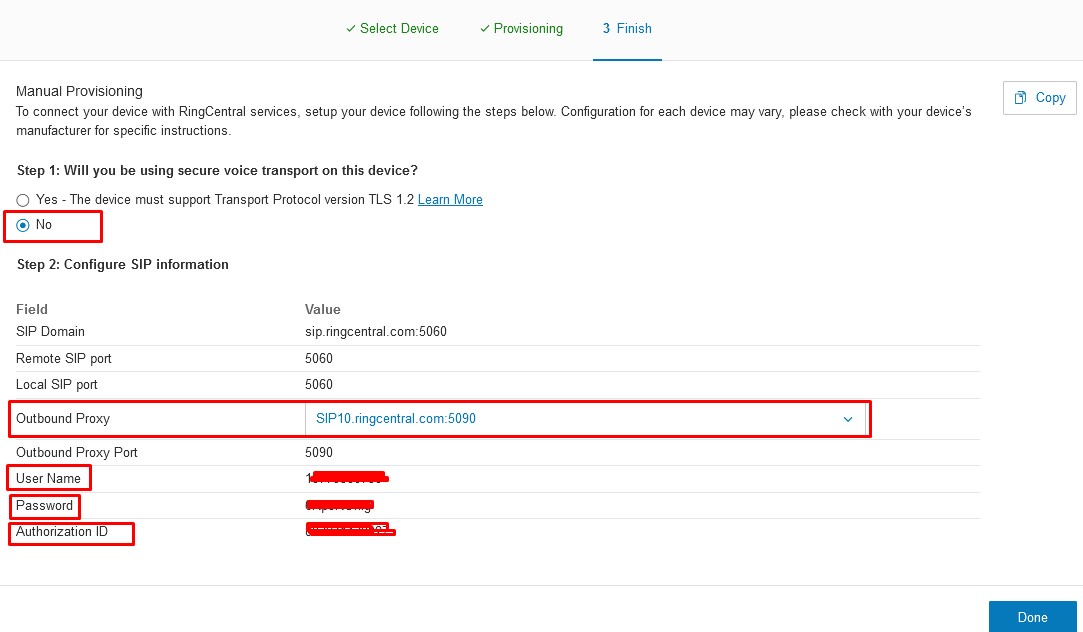
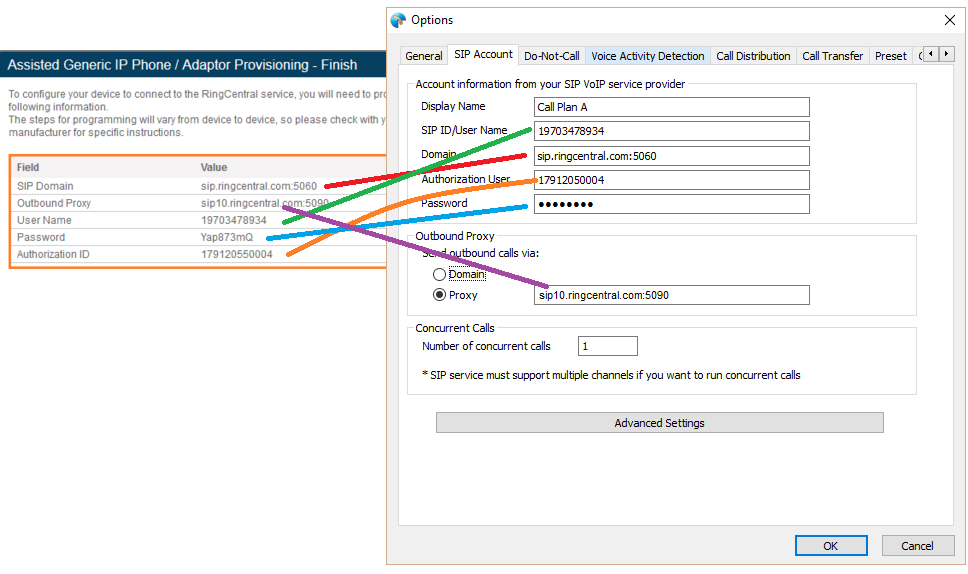
5. In next section Disable TLS(secure voice transport to NO) and Select your nearest outbound Proxy , followed that you will get your SIP settings, which will be used in Ecsow dialer for registration.
Step 2, Config RingCentral SIP Account on Ecsow Dailer.
It needs to enable the “Allow IP Rewrite” option as the below image shows.
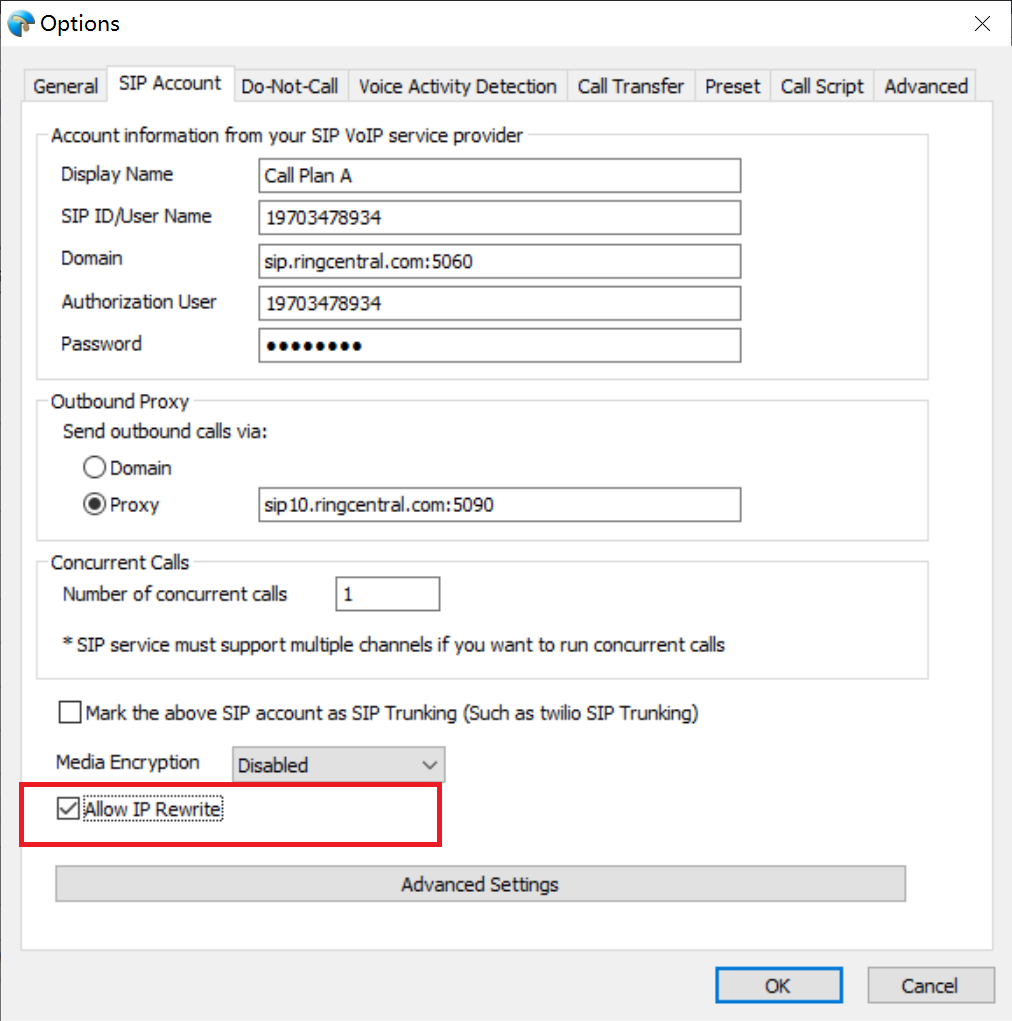
Click the OK button to appy the settings.


